Windows desktop app
Hytale Server Manager features
Manage Hytale servers, updates, backups, and console output from one app.
01 / 03
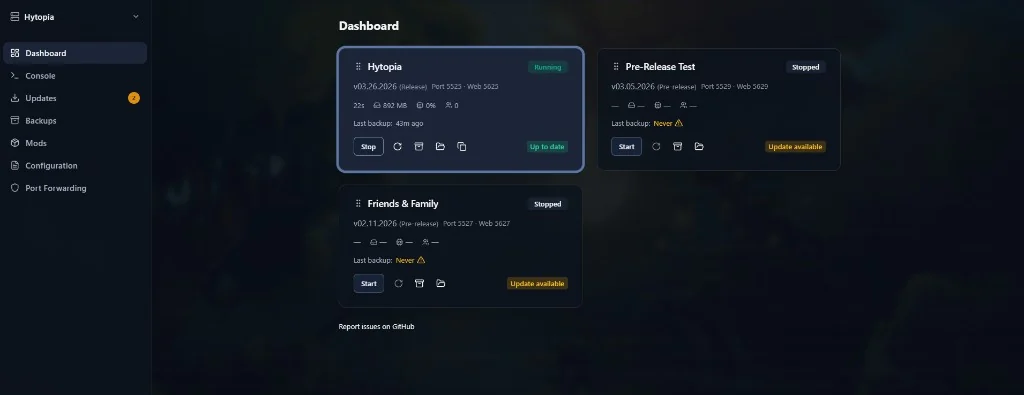
Manage multiple server instances
Create separate server setups and use start, stop, and restart controls from one dashboard.
Multiple server instances
Create and switch between separate Hytale server setups from one app.
Start and stop servers
Start, stop, and restart each server from the dashboard.
02 / 03
Manage updates and backups
Check for updates, apply them, and create backups you can restore when needed.
Server updates
Check for server updates and apply available versions.
Backup and restore
Create backups and restore a previous backup when needed.
03 / 03
Use the console and settings
Read server output, enter commands, and manage configuration without leaving the desktop app.
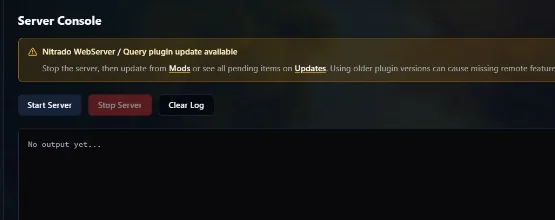
Server console
View server output and enter commands in the app.
Server settings
Manage settings for each server instance.
Included with the app
Core features are free
Use server controls, updates, backups, the console, and configuration tools without a Patreon account.
- Windows desktop app
- Multiple server instances
- Routine server management
Experimental supporter extras
Eligible Patreon supporters can access selected experimental add-ons as they become available. Supporter access is optional.
Download Hytale Server Manager
Start managing your Hytale servers on Windows.